GST-ready receipts
Print 80mm receipts with HSN codes and a clear CGST/SGST split.
StoreMink POS turns the devices you already own into a fast retail register—and keeps every checkout, pickup, return and stock movement in the same system as your website.
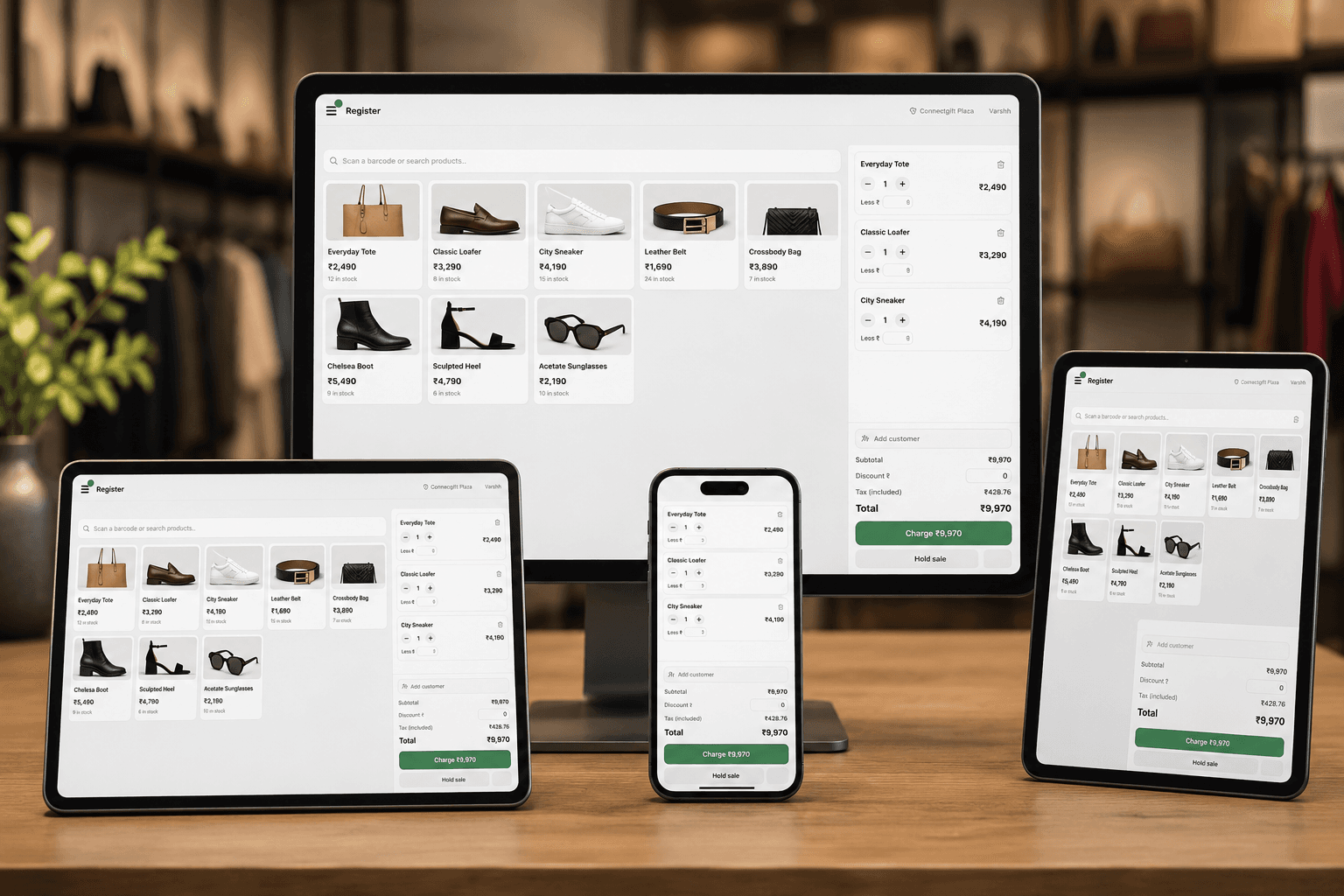 Website + counter stock in sync GST-ready checkout
Your customer sees one business. StoreMink gives your team one place to run it.
Scan, search or tap a product, hold a sale, add a customer and finish checkout without leaving the register.
Explore workflow Across every locationCount, receive and transfer inventory by shop while your website sells from the same live availability.
Explore workflow After the orderPrepare online orders at the right shop, complete collection at the counter and keep returns in the same order history.
Explore workflowProducts, customer history and the current cart stay within reach. Scan with a barcode gun, use a phone camera or search the same catalogue that powers your website.
See what is available at each shop, receive new stock and transfer units between locations. Online availability comes from the locations you choose to fulfil web orders.
Route pickup orders to the right shop, prepare them from one queue and complete collection where the customer arrives. Returns stay connected to the original order instead of becoming a note beside the till.
A checkout is only fast when the receipt, permissions, drawer and customer record are already in order.
Print 80mm receipts with HSN codes and a clear CGST/SGST split.
Record float, cash drops, closing count and variance for each till.
Set staff caps, require a manager PIN above them and retain the cashier trail.
Use a modern browser on desktop, tablet or phone—there is no StoreMink terminal to buy.
Recognise the same customer and order history whether they bought online or in store.
Approve the devices that can sell for each location and revoke them whenever needed.
Run your website and physical stores on the same plan. POS is not priced per terminal and StoreMink adds no transaction fee to a counter sale.
billed yearly
No engineer, proprietary terminal or duplicate catalogue required.
Enable it from your dashboard. Your existing catalogue and first location are already waiting.
Open the register on a browser and approve the till directly or pair it with a short code.
Invite staff by email. Each person completes setup and creates their own private PIN.
Enter the float and start selling. In-store and online orders now share one operating system.
No vague promises about hardware, payments or internet. If something has a limit, it is written here.
Try StoreMink freeNot yet, and we would rather say so than have you find out at the counter. Your catalogue is cached on the device, so searching and scanning stay fast, but completing a sale needs the connection. Offline queueing is on the roadmap.
Anything with a modern browser—a desktop, tablet or phone. A USB or Bluetooth barcode scanner works because it behaves like a keyboard, and any 80mm thermal printer your browser can print to can produce the receipt. There is no StoreMink terminal to buy.
No. Cash, card, UPI and split payments can be recorded at the till whichever way the money moved. If you take online payments on your website, you connect your own gateway there too. StoreMink does not sit between you and your money.
Only if you allow it. Discounts and price overrides belong to the store owner by default. You can give staff a percentage cap and require a manager PIN above it, with every markdown retained against the cashier who rang it.
Two locations, with up to 5 authorised tills at each. Additional locations are coming as a metered add-on; until then the two included with Pro are the limit.
No. Stock is counted per location, and your website promises only what sits at locations that fulfil online orders. If one of those locations sells the last unit at the counter, the website stops offering it too.
Start your StoreMink shop free today. Add Point of Sale with Pro when the counter is ready.